Log into smartadmin and select "Apps" from the sidebar. From this page select "+Add App" in the top right corner.
 A fresh window will appear where you can fill in the title, link & image plus Instructions and info if required.
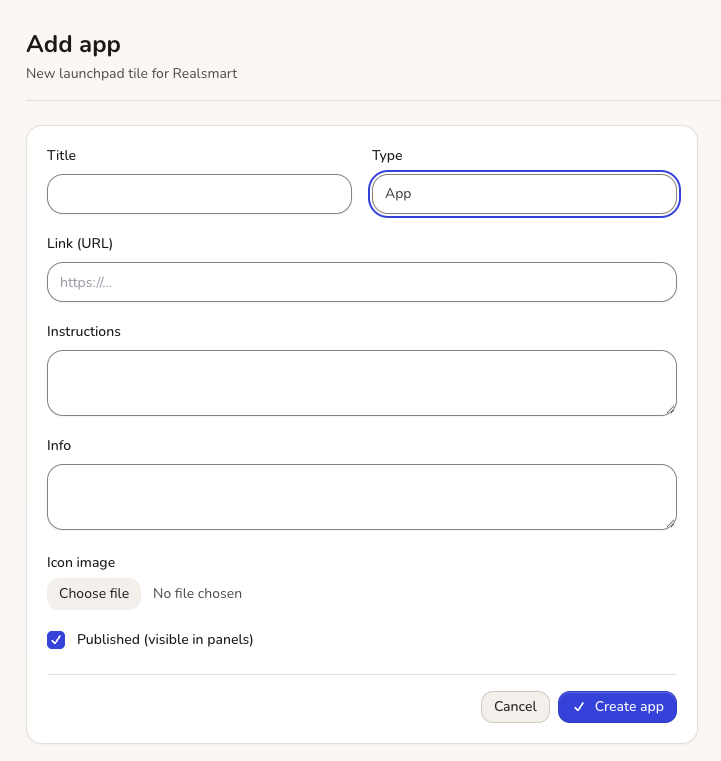 The title should be a short description of what the link links to. The link should be the full URL for the app you wish your users to access. An image can be uploaded, this should be a square image of at least 100x100px size.
Once you have filled in the fields select 'Create app', as long as you have filled in all of the fields, you will then receive a success message in the top right hand corner of your screen.
You can now select who the App should be visible to by ticking: A (Admins), M (Mentors), L (lEarners) and * ( Starred meaning the App will show in the top bar
 Once Published and 'Visible To' has been selected- The new app will appear on your CPanel after 15 minutes propagation.